Apple Pay for Transit
Traveling around Houston just got easier with your debit or credit card on iPhone and Apple Watch.
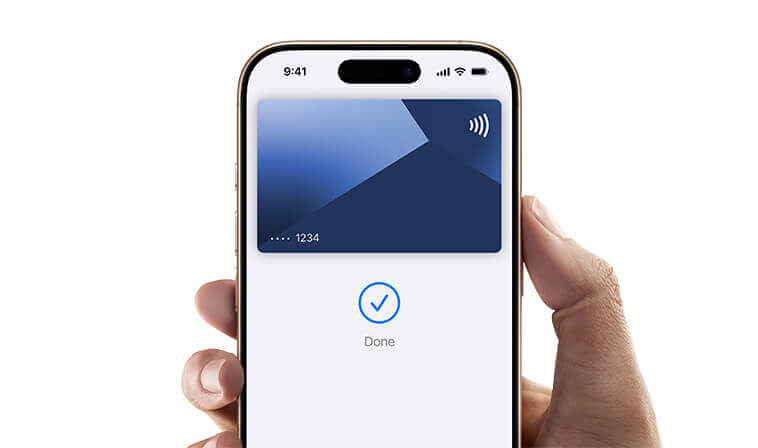
Apple Pay
Your iPhone and Apple Watch are now your ticket. Just open your Apple Wallet, select the credit or debit card you want to use, and hold it near the fare validator to pay your fare. To pay even faster, turn on Express Mode for Transit. Terms apply.
Apple Express Mode for Transit
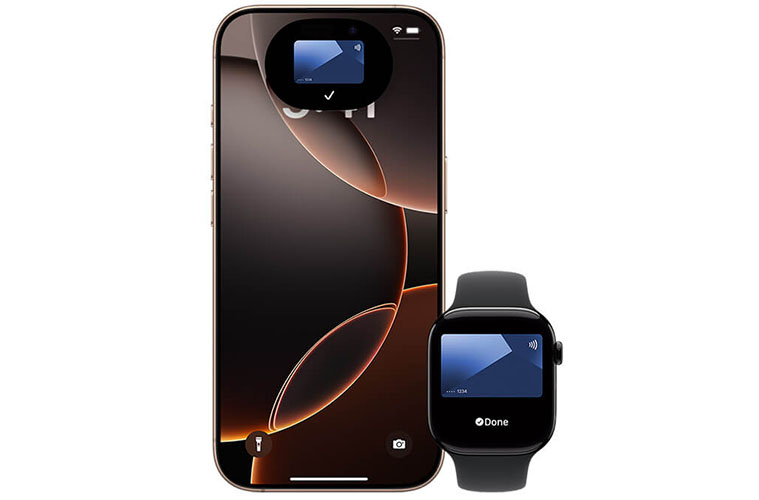
With Express Mode, you don't need to wake or unlock your iPhone or Apple Watch, or open any apps to use your credit or debit card in Apple Wallet. Just hold your device near the fare validator to pay and go.
If your iPhone needs a charge, your credit or debit card in Apple Wallet will still work. Power Reserve provides up to five hours of support, so you can still tap to ride. Terms apply.
Express Mode Common Questions
Express Mode is a feature of Apple Wallet that allows you to use a credit or debit card to quickly pay your fare using your iPhone or Apple Watch without having to wake or unlock your device, or open an app. You don't even need to validate with Face ID, Touch ID, or your passcode. Just tap your iPhone or Apple Watch on the fare validator until you see a green checkmark.
Open your Apple Wallet and select your preferred debit or credit card. Tap on the ellipsis (…) and choose "Card Details" or “Account Details”. Scroll down to "Express Transit Settings” and tap to turn it on. Select your desired credit or debit card for Express Transit. Follow the prompts to authenticate.
You'll need an iPhone SE, iPhone 6s or iPhone 6s Plus, or later, with iOS 12.3 or later, or Apple Watch Series 1 or Series 2, or later, with watchOS 5.2.1 or later.
Yes, you can use your Express Mode enabled credit or debit card in your Apple Wallet to quickly pay your fare on local bus, Park & Ride bus, METRORail and METRO curb2curb.
Yes, you're entitled to free transfers between any METRO service of equal or lesser value for up to three hours.
When transferring, make sure to tap the same payment method you used at the start of your trip. A physical credit or debit card is not the same as a virtual version of the same card stored in your Apple Wallet - they're treated as two different payment methods.y your fare on local bus, Park & Ride bus, METRORail and METRO curb2curb.
With Power Reserve mode, available on certain iPhone models, you might be able to pay your fare using a credit or debit card that has Express Mode enabled, for up to five hours, even when your iPhone needs to be charged.
If you turn off your iPhone, this feature won’t be available.
Note: While in Power Reserve mode, your transaction history may not be available if requested by a fare inspector. We strongly encourage customers to plan ahead and ensure your iPhone is sufficiently charged before you ride.

 Google Chrome
 Safari Mac OS
 Mozilla
 Microsoft Edge